[Hakushi Notes 2] AI + MCP: What Changed in My Note-Taking App (All in AI)
Continuing from Last Time
June 19, 2026. I released the first version of Hakushi Notes. At the time, our goal was All in AI—a note-taking app that combined immersive writing, AI, sharing, and printing in one place. That version was built from my own needs as a high school senior. Today, we're releasing Hakushi Notes 0.2. In this version, we've taken in feedback from users across the web along with our own real-world needs. On top of improving the web app's usability, we focused heavily on the AI experience. Through MCP, we've moved the entry point for capturing notes from opening a webpage to right in front of you. You can even long-press your phone's power button and, from the most convenient AI entry point on your device, have your fleeting thoughts written down on a blank page. (At the moment, few mobile AI assistants support MCP; the best domestic option is still the new Super Xiaoai in HyperOS 4. On desktop, Tencent WorkBuddy, Doubao Work, MiMo Desktop, and other AI platforms are supported.)
A Real Question
Before building 0.2, I kept thinking about one question: what problem is a note-taking app actually solving?
On the surface, it solves "recording." But if you think about it, recording itself was never the hard part. The hard part is the distance between "I have a thought" and "I write it down."
You're walking down the street, and an idea flashes through your mind. Pull out your phone, unlock it, find the app, open it, create a new note, start typing—six steps. Inspiration doesn't have the patience to wait for you to finish those six steps. Most of the time, it just disappears, and you don't even realize what you've lost.
So we did one thing: we shortened that distance to zero.
The First Entry Point—MCP
Hakushi Notes now has two entry points. The first is through MCP, letting AI take notes for you directly.
You're on the road and something suddenly comes to mind. Long-press the power button and say to your AI: "Note this down in Hakushi Notes for me: I think everyone actually lives inside their own version of reality." (This is whatever you're thinking in the moment.)
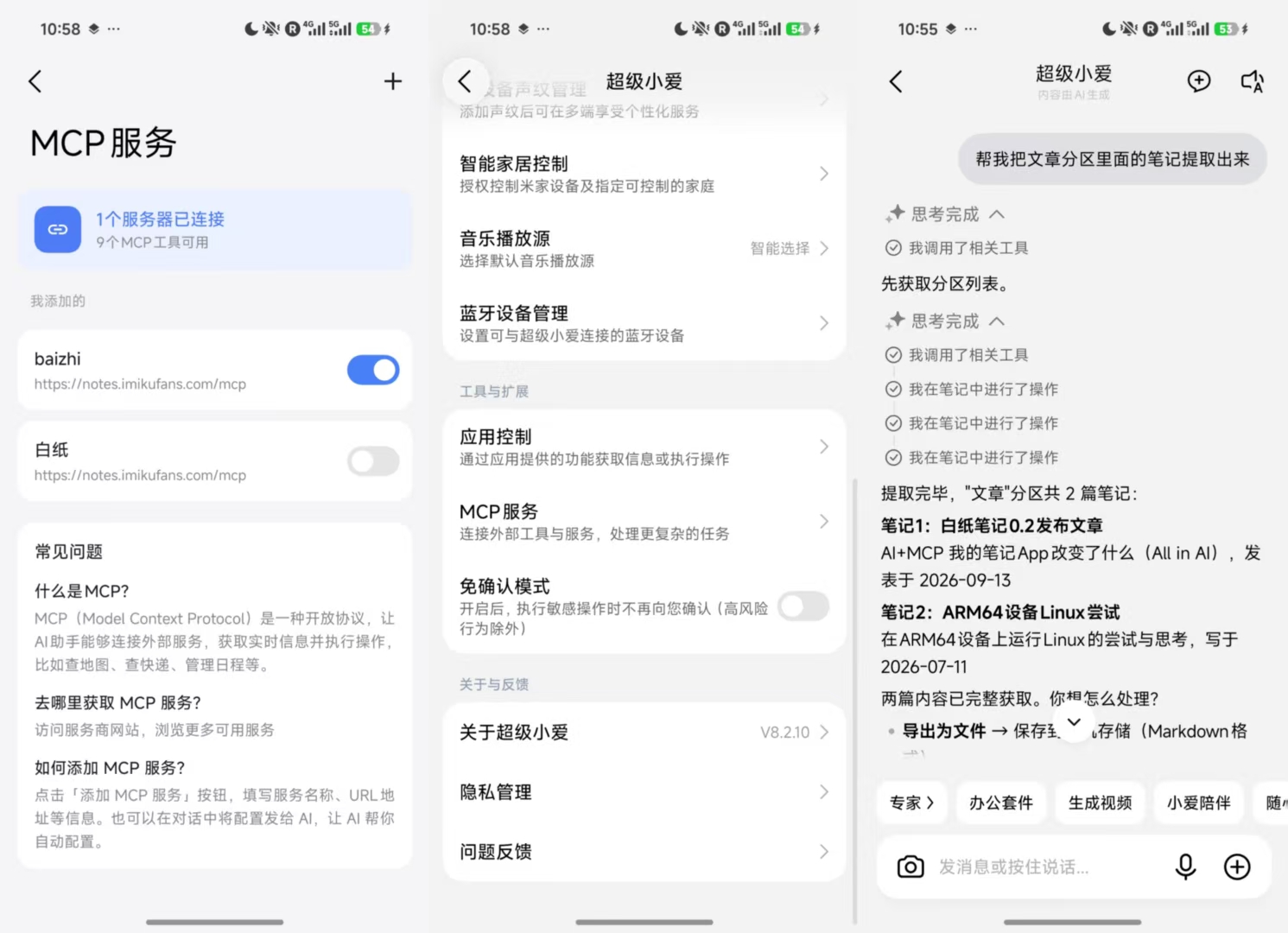
The AI calls Hakushi Notes through the MCP protocol, organizes your words into text, and saves it to your note list. You didn't open any app, didn't touch the screen, didn't switch interfaces. You just said one sentence, and it's already sitting in Hakushi Notes.
MCP is the core of this. It builds a bridge between the AI and Hakushi Notes—the AI doesn't need you to manually open the app; it can create and save notes on its own. You're always looking at just one AI window, but your words have already landed safely.
This entry point solves one problem: when inspiration strikes, catch it first. It doesn't matter if it's half-baked or incomplete—just store it. Everything else can wait.
Of course, what I described above is just one possible scenario. What we've given the large model is a complete toolchain: you can use MCP to query, create, edit, generate share links for, and delete notes.
The Second Entry Point—You
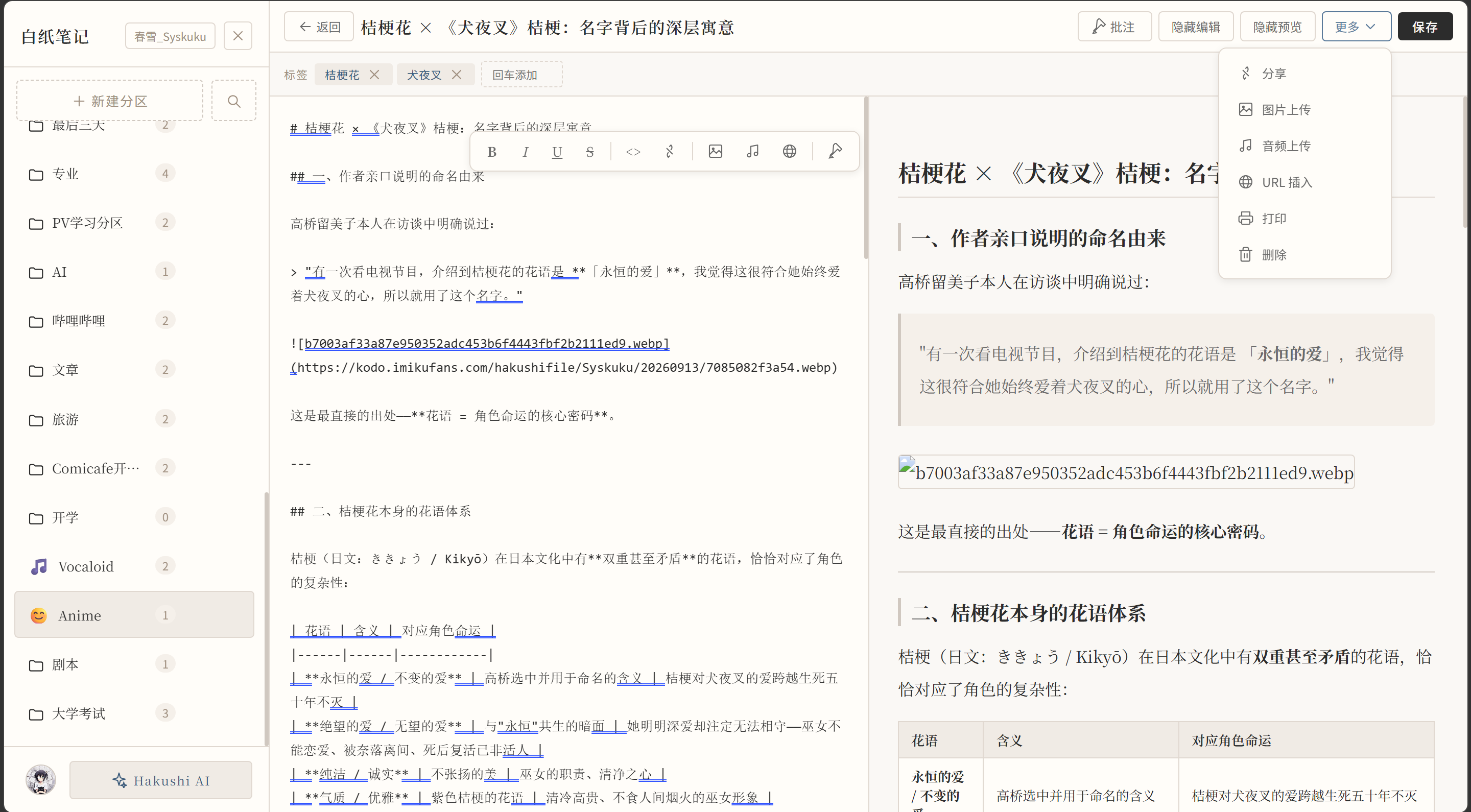
You get home, open Hakushi Notes, and see that quick note: "Everyone actually lives inside their own version of reality."
You look at that sentence and start wondering—what does "their own version" mean? Does everyone see a different world, or does everyone remember the same event differently? So you start writing. You write, delete, write again. Finally you write: "Maybe everyone is telling themselves a story, and then mistaking that story for reality."
Hakushi Notes has a clean interface. The AI assistant sits quietly in the sidebar—click it when you need it, and when you don't, it's as if it isn't there. The design intent of this entry point is simple: let you sit down and spend some quiet time with your own thoughts. (This was already in the previous version.)
Two entry points, two rhythms. The first is fast—it helps you catch inspiration. The second is slow—it lets you turn inspiration into something truly yours. From 0 to 0.5 is the speed of AI; from 0.5 to 1 is your own depth.
What Else Is New in 0.2
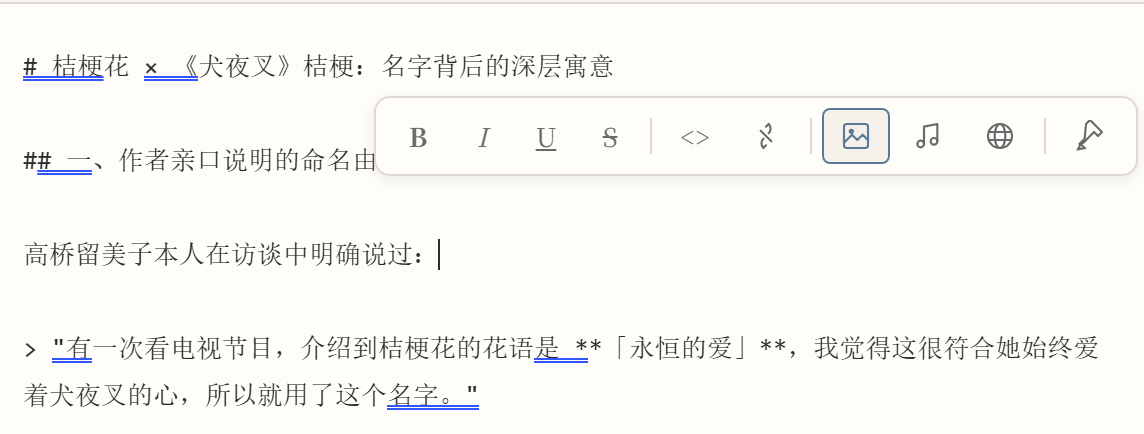
Better usability. Taking in user feedback, we realized that stripping everything away doesn't stimulate inspiration. Having no toolbar only raises the learning curve and works against people's intuition. Our approach was to add a standard editing toolbar while keeping the design and style highly consistent, so it doesn't disrupt your writing. We also added synchronized scrolling between the preview and editor panes, so you no longer struggle to find your place.
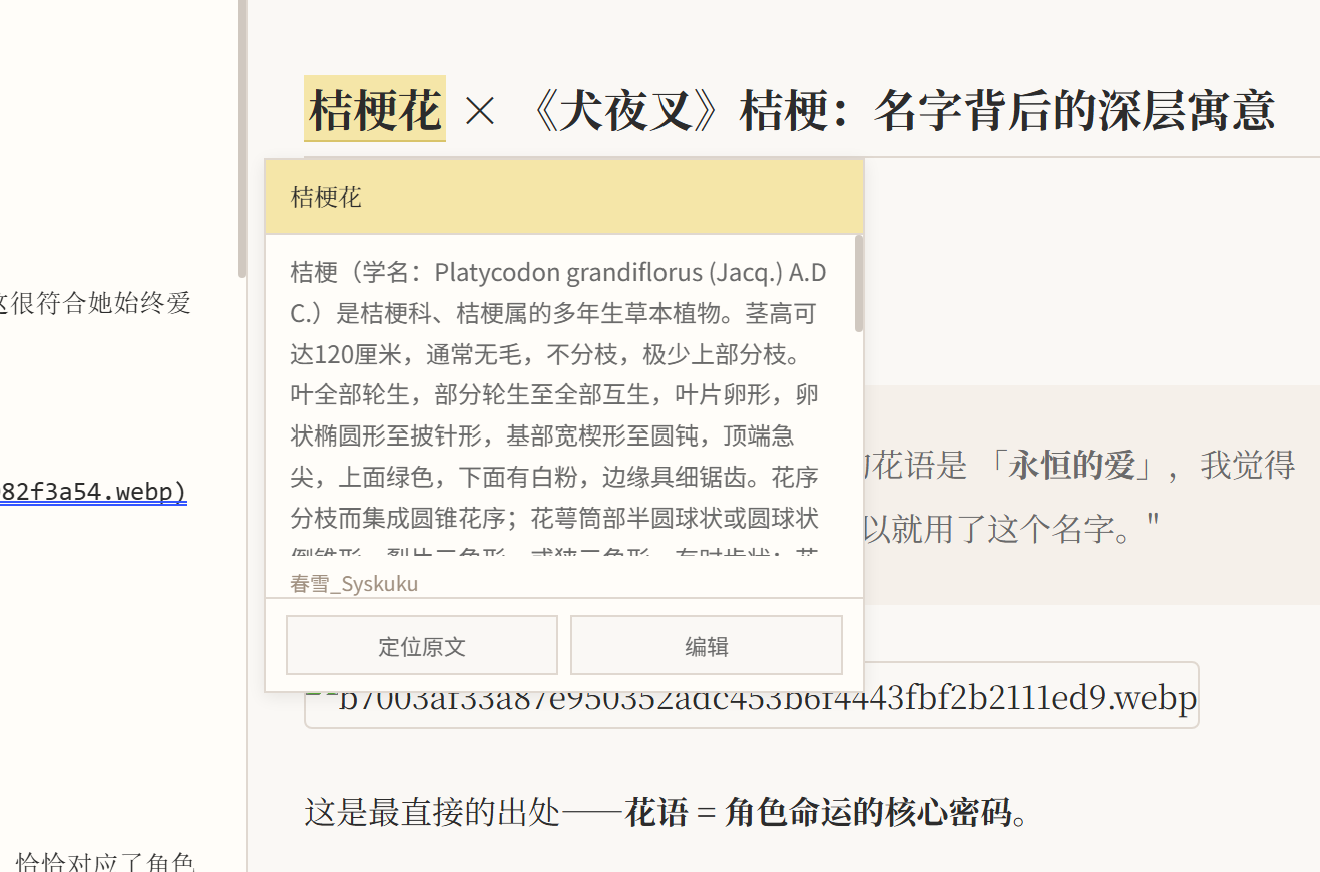
Annotations. You can now annotate your notes in the editor at any time instead of modifying them directly. Before making changes, you can safely keep your original thoughts and update your new ideas in the annotations.
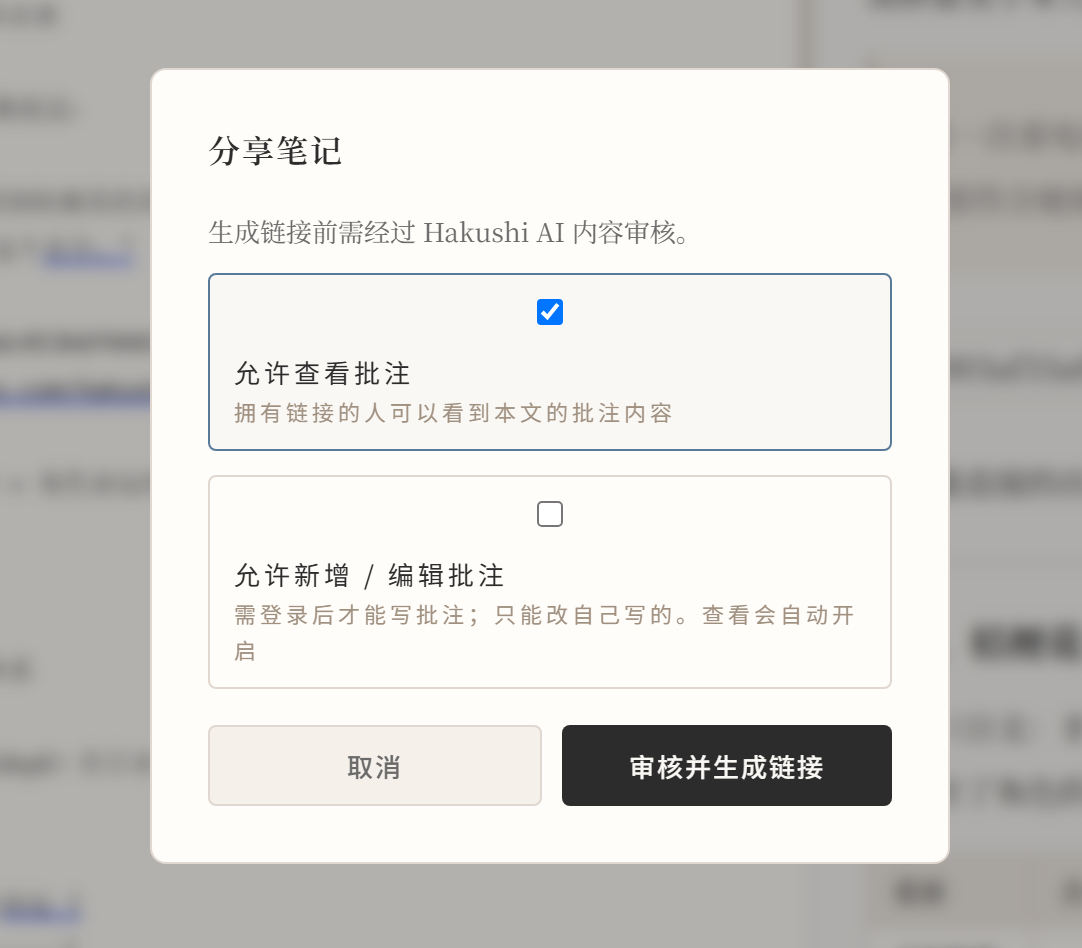
Improved sharing. Building on the previous point, sharing now integrates with annotations. You can choose whether the person you share with can see your annotations, and whether they can add new ones. Viewing requires no login; after registering and logging in, the person you shared with can annotate the original note, with their name always attached. Shared content goes through automatic moderation.
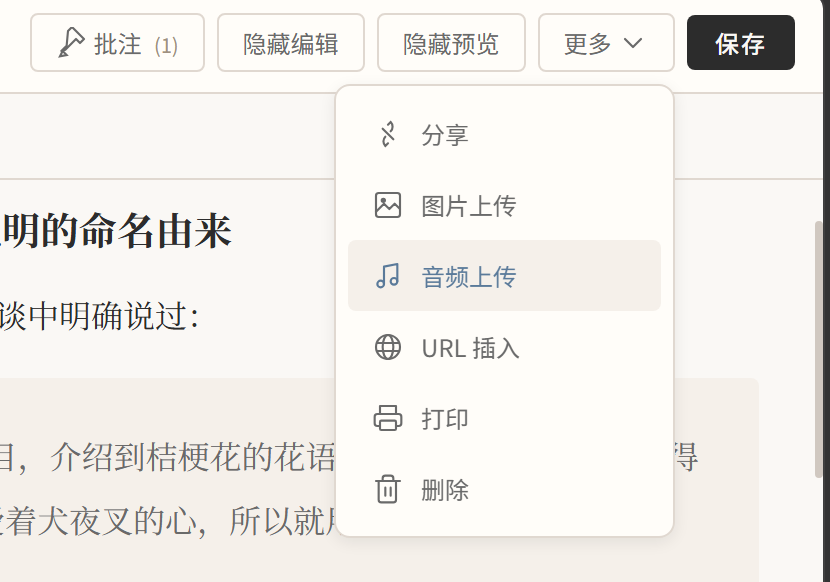
Progressive attachment uploads. Markdown is a rich text format—if it loses the ability to embed images, audio, and links, it loses its soul. To make inserting images and other attachments easier, we're giving every Hakushi Notes user 80MB of completely free storage. Follow the creator and it automatically expands to 592MB (80+512). If the response is good, we'll offer richer paid plans and increase the free tier. For now, I think 592MB is plenty for a note-taking app.
Why "Hakushi" (Blank Paper)
Blank paper doesn't mean "nothing." On the contrary, blank paper means: zero distraction, zero cost, zero barrier. This is also how we understand All in AI—AI should be everywhere, lowering the barrier to capturing your thoughts. But the notes themselves, those fragments, that messiness, those words only you can understand—they should be yours. AI helps you catch inspiration faster, but the road from inspiration to idea is one no one can walk for you.
Finally
In my senior year of high school, I often zoned out during evening study sessions and scribbled random thoughts in the corners of scratch paper. Those scratch papers are long gone, and most of those thoughts are forgotten. But I remember the feeling—when I was writing, I felt like I was truly alive.
Hakushi Notes exists to protect that feeling.
The blank page is always waiting for you. Not because it's empty, but because it believes you will surely write something down.
Hakushi Notes 0.2 is now available. Visit Hakushi Notes to try the new version. Hakushi Notes—
All in AI. A blank page for every thought you have.