Blank Paper Notes | Hakushi Notes — To Pave the Way for Going All-In on AI, I Decided to Build My Own Note-Taking App (Updated)
·(edited)· / · reads· likes0
This article was last modified on . Some content may be outdated. Feel free to ask the author if you have questions.
AI TranslationSimplified ChineseEnglish
Key Insights
Hakushi Notes is a note-taking app designed for printing on A4 paper. It features a new Hakushi AI assistant that can read/create notes, search the web (with API key), and update existing notes. The app's core philosophy is that paper is the ultimate medium for notes, and most software neglects printing. It offers a minimalist interface with no toolbar, supporting only Markdown for distraction-free writing. Key features include real-time link sharing, one-click printing with optimized A4 layout, and AI integration for generating drafts. The design focuses on creating a pure 'paper' experience, where the software is invisible. The goal is to seamlessly transition thoughts from screen to paper, combining AI efficiency with human reflection.
Blank Paper Notes | Hakushi Notes
Update on June 27, 2026: Hakushi AI Added, Article Renamed: “Blank Paper Notes | Hakushi Notes — To Pave the Way for Going All-In on AI, I Decided to Build My Own Note-Taking App (Updated)”
New Hakushi AI Button on the Left, Enter AI-Assisted Features. Here’s the Feature List
Users who haven’t filled in an API key have web search disabled, and the AI mode is limited to 39 uses per day. Once you fill in your LLM API key and Tavily API key, AI usage becomes unlimited.
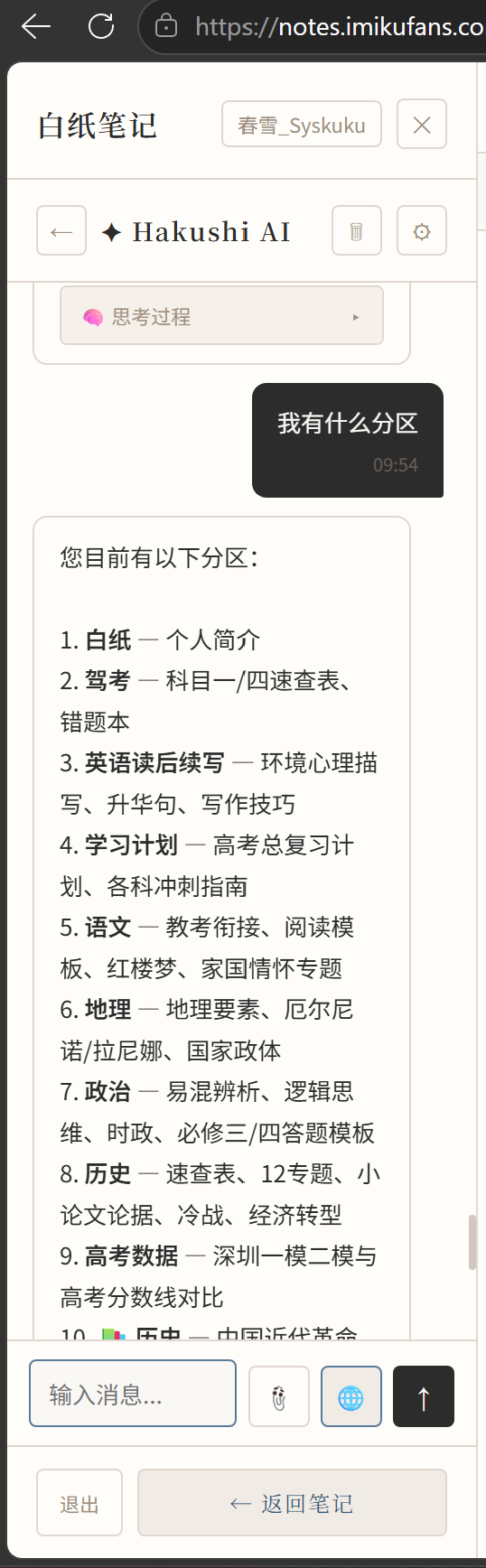
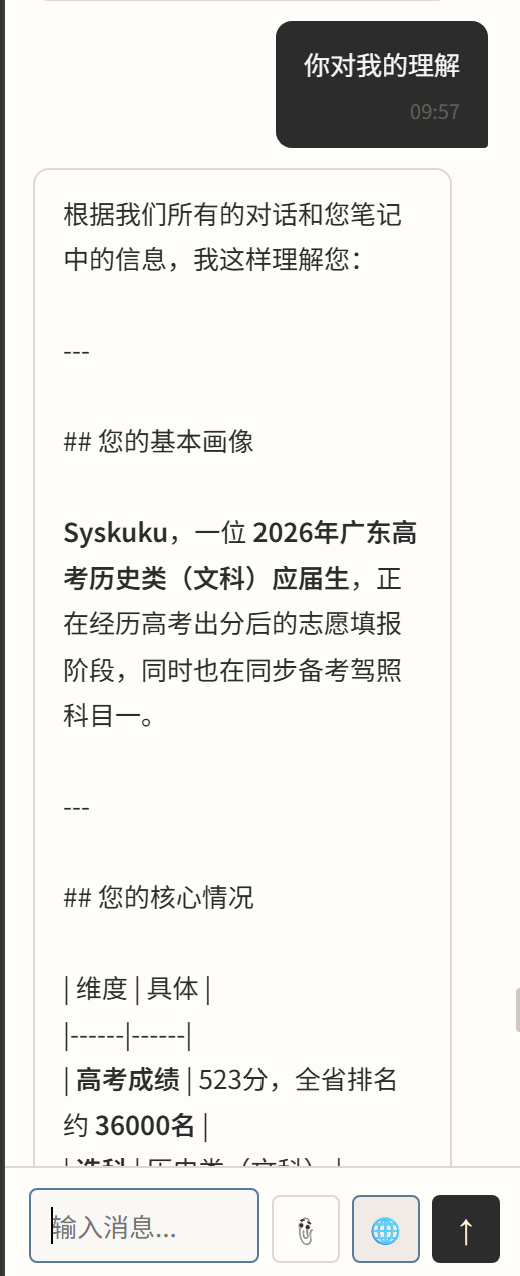
Read, create sections and articles. You can have Hakushi AI read your current sections and create new articles. When asking AI questions, it will prioritize finding answers from your knowledge base.
Personal Knowledge Base Search
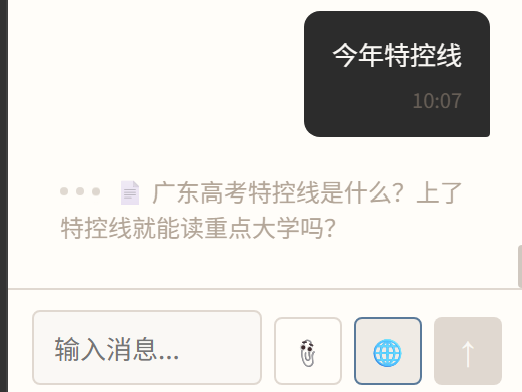
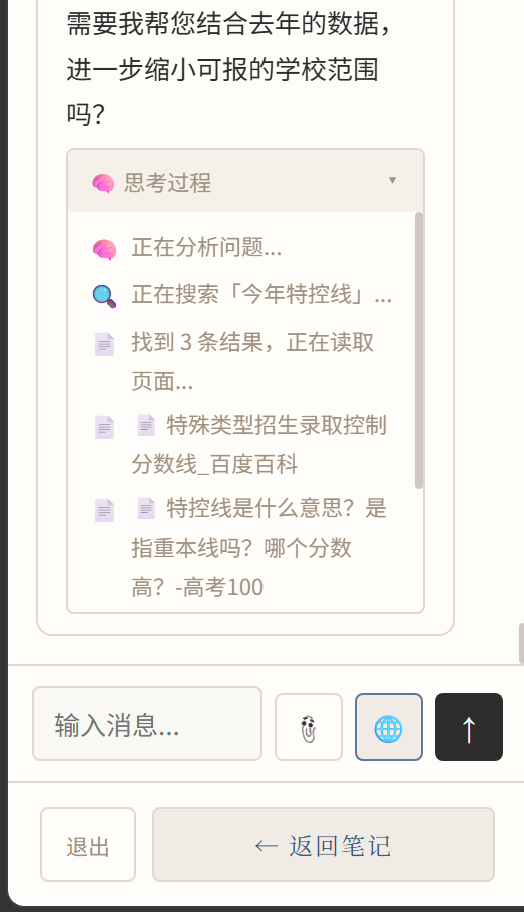
Web Search: When you fill in your Tavily API key, web search is supported. Priority: Existing notes ≈ Internet data > Model self-generation. (When web search is enabled, it automatically decides whether to search locally or online; if not enabled, it only searches locally.)
During web search, it shows in real time which pages the AI is browsing:
The output shows the tool call chain:
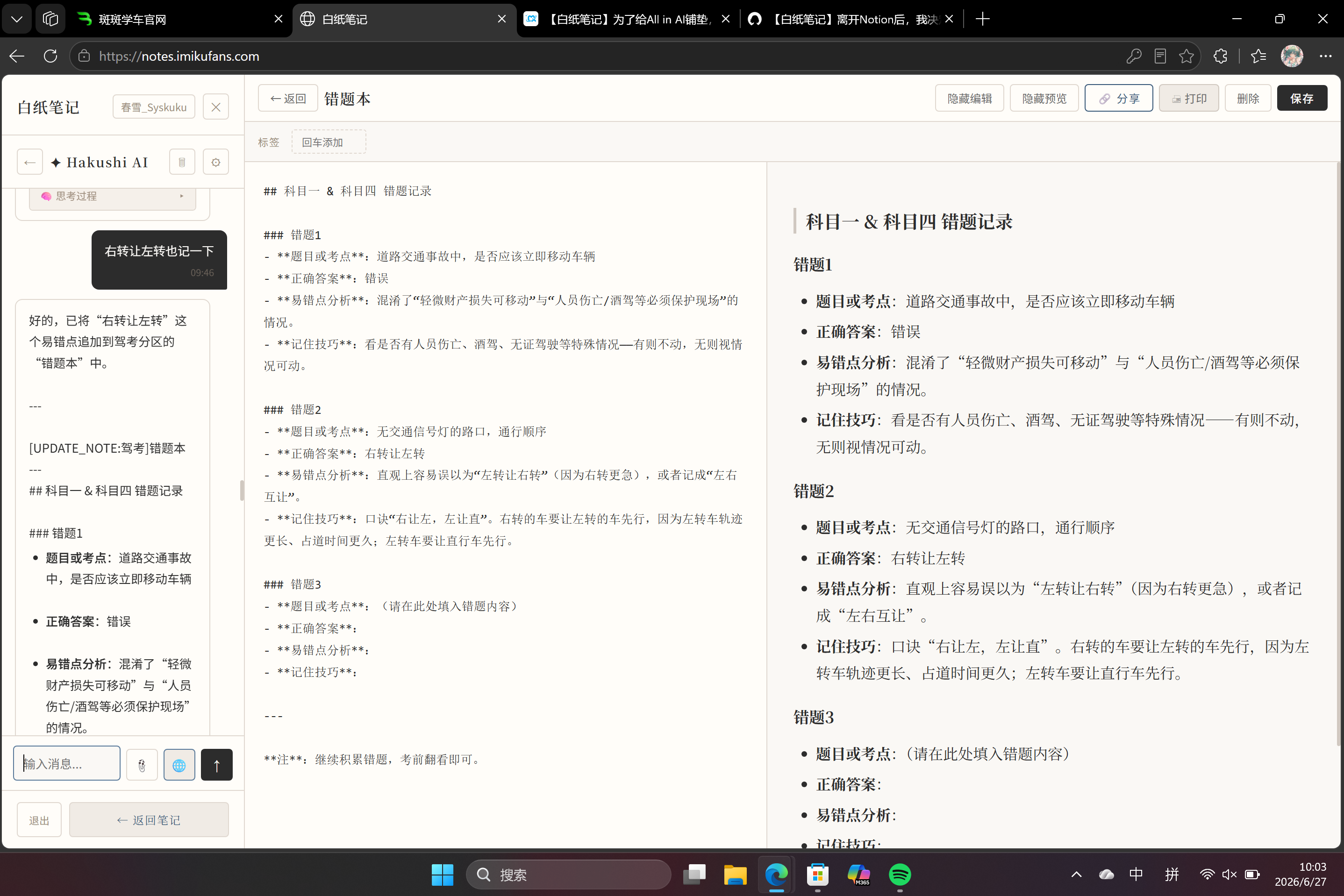
Update Existing Notes: Supports AI-assisted note-taking, automatically updating notes.
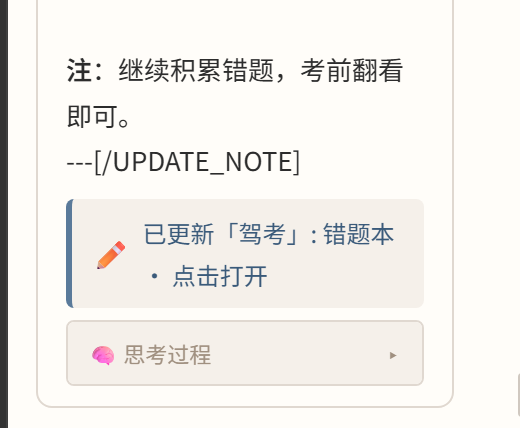
Human-centered design: When using AI to update or add notes, a card is shown; click it to jump to the note page.
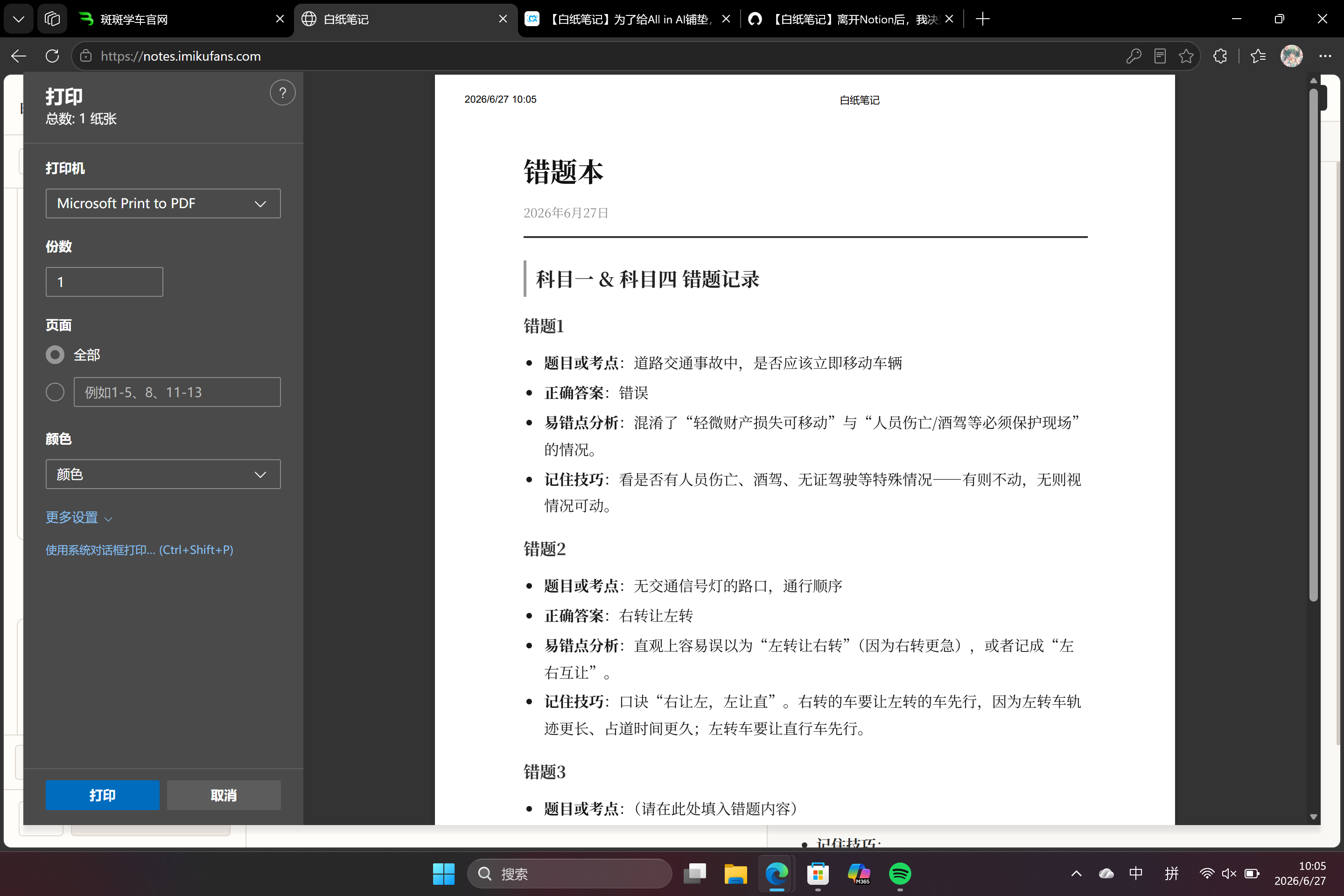
New Print Button in the Top Right: One-click generation of elegant Markdown layout (with standardized math formula display), plus a one-click print button:
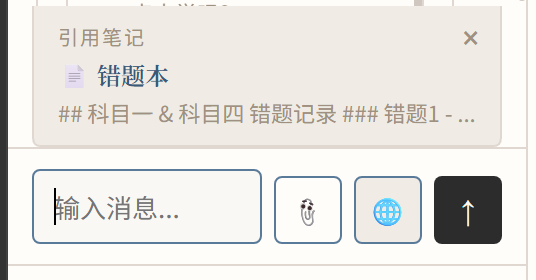
One-Click Citation: Click the paperclip button to cite the currently open note with one click, making it easy to feed to AI:
The Backstory
I’ve noticed that most note-taking apps have one thing missing—paper.
Why do we need digital notes?
Because human thinking is linear, almost single-threaded; the brain isn’t a perfect memory device either. It’s more like a cache—you can’t compose an entire note in your head and then transcribe it. But writing everything in your head onto paper in order inevitably leads to mistakes and imperfections. Digital notes solve this most direct problem: they can be edited without leaving any trace of erasure.
However, digital notes may not be the ideal final medium for “notes.”
Some might ask: Isn’t it more convenient to search notes stored on a computer or phone?—Yes, that’s true. But I think those should be classified as “data carriers,” not “notes.” Imagine your perfect notes exist in both a physical journal and on your phone. When you need to study them deeply in a library, you’d prefer the subject of your study to be on paper—it’s easier to annotate, and easier to remember.
So, notes on paper are the real notes.
Printing: The Most Overlooked Core Feature
The feature most note-taking apps overlook is printing.
Either they’re like Notion, where you must export HTML or PDF from the client and open another app to print; or they’re apps that can print but don’t care about design, resulting in layouts that are hard to read. Worse, some apps don’t offer printing or exporting to other formats at all, to protect their own ecosystem. We’re left copying, opening Word, pasting, and reformatting—wasting too much time, with inconsistent layouts every time, and still unsatisfactory results.
Blank Paper Notes—on this app, you can solve all the above problems.
Design: Pure Paper
The design philosophy of Blank Paper Notes comes from a simple yet profound observation: a note-taking app should be like paper—present but unobtrusive.
When we open a note-taking app, we see buttons, menus, sidebars, toolbars—we see “software.”
But when we open a notebook, we see blank pages, possibilities, thoughts waiting to be filled. Blank Paper Notes aims to erase the traces of “software” and leave only the purity of “paper.”
Writing Without a Toolbar
Blank Paper Notes has no toolbar. No formatting buttons, no font choices, no color palette. All you see is your text and how it will appear.
This means:
Focus on content itself: You won’t be interrupted by questions like “what font size should this heading be?”
True WYSIWYG: What you see on screen is exactly what prints.
Back to the essence of writing: Writing is writing, not layout design.
Writing in the AI Era
In the AI era, we have a new writing partner. Blank Paper Notes is perfectly suited to this new workflow:
Generate a draft with AI: Tell AI your ideas and let it organize them into well-structured Markdown.
Polish it in Blank Paper Notes: Paste the Markdown in and focus on refining the content.
Print it with one click: Get print-quality paper notes.
This workflow solves two major pain points of traditional writing:
Difficulty starting from zero: AI helps you take the first step.
The barrier between digital and paper: Blank Paper Notes makes the transition seamless.
Designed for A4 Paper
Every design decision in Blank Paper Notes revolves around one core question: How do we deliver the perfect reading experience on A4 paper?
Font selection: We carefully chose fonts suitable for extended reading, balancing on-screen display and print quality.
Line spacing and margins: Not arbitrary numbers, but the golden ratio for A4 paper, tested repeatedly.
Pagination logic: Smart page breaks ensure every page is complete and beautiful, with no orphaned or widowed lines.
Color management: Dark mode on screen automatically converts to a light background suitable for paper when printing, protecting your eyes and saving ink.
---
⚙️ Features: Less Is More
Pure Markdown
Blank Paper Notes only supports Markdown. This isn’t a limitation; it’s a liberation.
Markdown is a pure writing language that lets you focus on content rather than formatting. In Blank Paper Notes, every character you type is rendered precisely—no more, no less.
MD
# This is a heading
## This is a subheading

This is body text. **Bold** and *italic* are both rendered perfectly.

- List item one
- List item two

> This is a blockquote.

[This is a link](https://example.com)
Link Sharing, Real-Time Sync
Sharing in Blank Paper Notes isn’t about exporting files; it’s about sharing links.
Share a link: Generate a link to your note and share it with others.
Real-time updates: When you edit your note, the link updates immediately.
No sync needed: No waiting for “syncing...”; changes take effect instantly.
Consistent across platforms: Whether opened on a phone, tablet, or computer, the experience is identical.
This means:
Your notes are always the latest version.
You never worry, “Did I send the old version?”
Collaboration becomes simple: share a link with a colleague, and they always see the latest content.
Print Optimization, One-Click Booklet
Printing in Blank Paper Notes is a core feature, not an afterthought.
Perfect A4 layout: Designed for A4 paper; prints with magazine-quality results.
Headers and footers: Automatically adds page numbers, titles, dates, and other metadata.
Table of contents: Automatically generates a TOC page from headings.
Batch printing: Select multiple notes, merge them into a single PDF, or print them as a booklet directly.
💭 Philosophy: Paper as an Extension of Thought
Why “Paper”?
In the digital age, we have too many “smart” things: smartphones, smartwatches, smart speakers. But “paper” is the oldest, simplest information medium. Blank Paper Notes chooses to return to this simplicity because:
Paper doesn’t interrupt you: No notifications, no push alerts, no “you haven’t recorded anything today” reminders.
Paper is quiet: It simply waits for you to write.
Paper is durable: A sheet of paper can last decades, while an app might stop updating next year.
The Power of Simplicity
The simplicity of Blank Paper Notes isn’t a lack of features; it’s a design choice.
No toolbar: Because the best tool is your mind, not buttons.
Markdown only: Because the purest writing doesn’t need complex formatting.
This simplicity brings:
Faster startup: Open it and you’re in your notes—no loading screens.
Smaller footprint: It’s web-based. All you need is a browser to do everything.
Note-Taking Philosophy in the AI Era
In an age when AI can write articles, summarize, and even compose poetry, what’s the point of note-taking?
Blank Paper Notes’ answer: Notes are traces of thought, not piles of information.
AI can generate content for you, but it can’t replace your thinking process. Blank Paper Notes provides a pure space for you to:
Start with AI: Let AI help you organize your thoughts and generate a draft.
Refine by hand: In a clean environment, focus on polishing the content.
Settle on paper: Finally print it into a booklet, a physical testament to your thinking.
This workflow combines AI’s efficiency with the depth of human thought, digital convenience with physical permanence.
🌌 Conclusion: Let Thoughts Leave a Trace
Blank Paper Notes is not a feature-packed note-taking app. It’s a space designed for thinking, a tool optimized for printing, and a writing companion ready for the AI era.
It doesn’t try to do everything; it focuses on doing one thing well: taking your thoughts from the screen to paper, elegantly.
So, if you’ve ever felt that:
Existing note-taking apps are too complex and get in the way of thinking;
Printed notes always look ugly and presentable;
You want a pure space to focus on content rather than formatting;
You believe paper still has irreplaceable value in the digital age.
Then maybe you should try Blank Paper Notes.
Because your thoughts deserve to be taken seriously. They deserve to start from a blank page. They deserve to end up on a real sheet of paper.